国庆节10月1日
--

记录如何使用 hexo-circle-of-friends 项目为 Astro 博客搭建朋友圈功能,包括部署、踩坑和最终效果。
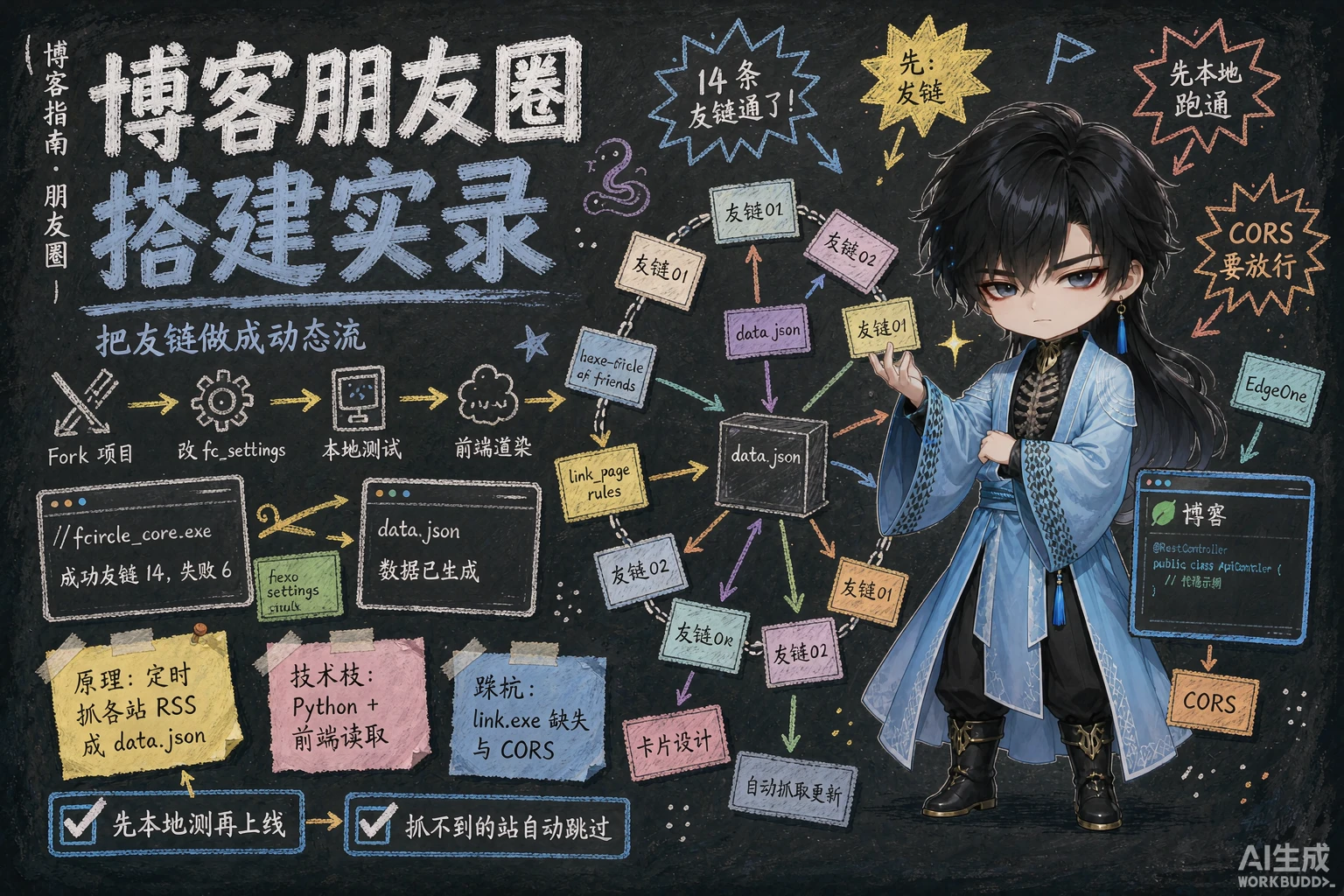
博客已经有了友链页面,但只能看到朋友们的博客链接,不能看到他们最近发了什么文章。于是想找一个「朋友圈」功能,能自动抓取好友的最新文章并展示。
经过调研,发现了 hexo-circle-of-friends 这个项目。虽然名字里有 “hexo”,但它实际上是一个独立的后端服务,不依赖 Hexo,任何博客框架都能用。
hexo-circle-of-friends 的核心功能:
首先 Fork 项目到自己的 GitHub 仓库:
https://github.com/tianshihao2003/hexo-circle-of-friends这是核心配置文件,主要修改:
# 友链页地址 - 填写你的友链页面LINK: [ { link: "https://blog.tsh520.cn/friends/", theme: "firefly" },]
# 极简模式 - 输出静态 JSON,无需后端SIMPLE_MODE: true
# 存储方式DATABASE: "sqlite"
# 部署方式DEPLOY_TYPE: "github"
# 每个好友最多获取几篇文章MAX_POSTS_NUM: 5
# 定时任务 - 每天 5 次CRON: "0 0,6,12,18,21 * * *"因为我的博客是 Astro + 自定义主题,不在内置支持列表中,需要在 css_rules.yaml 中添加自定义规则:
link_page_rules: { # ... 已有主题 ... firefly: { author: [{ selector: ".friend-card-name", attr: "text" }], link: [{ selector: ".friend-card-link", attr: "href" }], avatar: [{ selector: ".friend-card-avatar__img", attr: "data-src" }], }, }关键点:头像用的是 data-src 而不是 src,因为我的友链卡片用了懒加载。
下载预编译二进制到项目目录,运行爬虫测试:
.\fcircle_core.exe看到以下输出说明配置成功:
成功友链数 14,失败友链数 6本次获取总文章数 70我选择了 EdgeOne Pages 来托管生成的 data.json。
踩坑记录:CORS 跨域问题
部署后发现浏览器无法从 blog.tsh520.cn 请求 cir.tsh520.cn/data.json,控制台报错:
Access to fetch at 'https://cir.tsh520.cn/data.json' from origin 'http://localhost:4321'has been blocked by CORS policy: No 'Access-Control-Allow-Origin' header is present解决方案:使用 edgeone.json 配置 CORS
EdgeOne Pages 不支持 _headers 文件(那是 Cloudflare Pages 的规范),需要使用 edgeone.json:
{ "headers": [ { "source": "/*", "headers": [ { "key": "Access-Control-Allow-Origin", "value": "*" }, { "key": "Access-Control-Allow-Methods", "value": "GET, POST, PUT, DELETE, OPTIONS" }, { "key": "Access-Control-Allow-Headers", "value": "Content-Type, Authorization" } ] } ]}data.json 的结构:
{ "statistical_data": { "friends_num": 20, "active_num": 14, "error_num": 6, "article_num": 70, "last_updated_time": "2026-07-13 10:19:17" }, "article_data": [ { "floor": 1, "title": "文章标题", "created": "2026-07-13", "updated": "2026-07-13", "link": "https://example.com/post/1", "author": "作者名", "avatar": "https://example.com/avatar.jpg" } ]}创建 src/config/circleConfig.ts:
export const circleConfig: CircleConfig = { dataUrl: "https://cir.tsh520.cn/data.json", pageSize: 20, showStats: true, showFloor: false, cacheTime: 5 * 60 * 1000, // 5 分钟缓存};┌─────────────────────────────────────────────┐│ 🎣 钓鱼 🔄 全部友链 > │ ← 顶部导航栏├─────────────────────────────────────────────┤│ 📢 来自友链 xxx 的文章: xxx │ ← 随机动态通知├─────────────────────────────────────────────┤│ 🌊 鱼塘 好友 20 · 活跃 14 · 动态 70 │ ← 统计区域├─────────────────────────────────────────────┤│ ┌─────┐ ┌─────┐ ┌─────┐ ┌─────┐ ││ │卡片1│ │卡片2│ │卡片3│ │卡片4│ ││ └─────┘ └─────┘ └─────┘ └─────┘ ││ ... ∞ │ ← 无限滚动└─────────────────────────────────────────────┘每个文章卡片包含:
error: linker `link.exe` not found原因:Windows 上需要安装 Visual Studio Build Tools。
解决:下载预编译二进制代替本地构建。
原因:blog.tsh520.cn 和 cir.tsh520.cn 是不同源。
解决:在 EdgeOne 配置 edgeone.json 添加 CORS 响应头。
原因:Astro 的 <style> 默认是 scoped 的,JavaScript 动态创建的元素没有 scoped 属性。
解决:将样式提取到独立的 CSS 文件并 import:
---import "@/styles/features/circle.css";---原因:Swup 客户端导航时,DOMContentLoaded 不会再次触发。
解决:使用 astro:page-load 事件,并在 astro:before-swap 中重置初始化标记。
在 src/content/friends/ 目录下创建 Markdown 文件:
---title: 好友博客名imgurl: https://example.com/avatar.jpgdesc: "博客描述"siteurl: https://example.comtags: [Blog]weight: 10enabled: true---GitHub Actions 会按照 CRON 配置自动运行(每天 0/6/12/18/21 点),也可以在 Actions 页面手动触发。
部署完成后访问 /circle/ 页面即可。
hexo-circle-of-friends 是一个非常实用的项目,虽然名字里有 “hexo”,但完全框架无关。通过 Simple Mode + EdgeOne 的方案,我实现了一个零后端、纯静态的朋友圈功能。
主要收获:
如果你也想给博客加一个朋友圈功能,不妨试试这个方案。
暂未播放